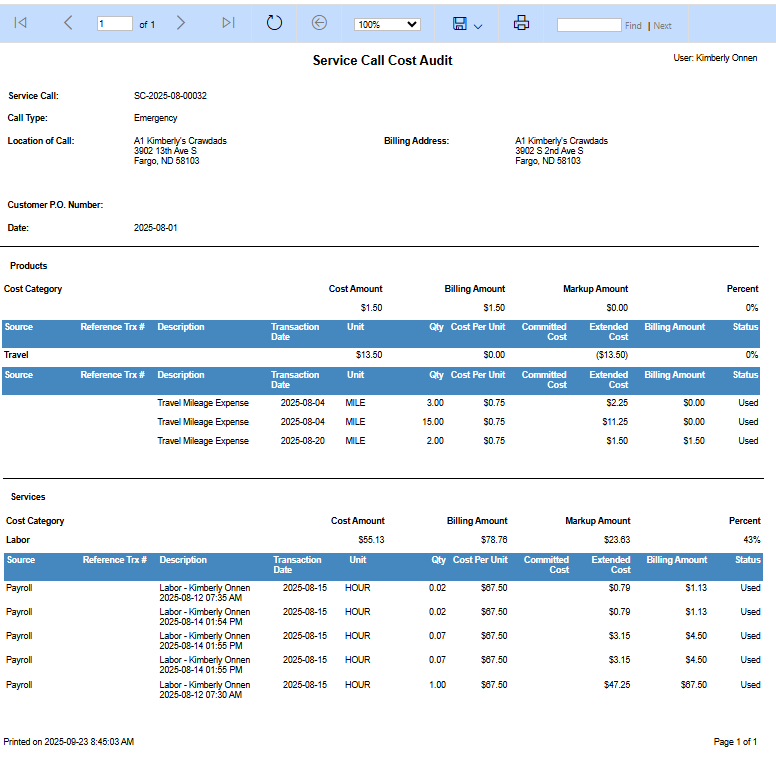
This report lists all costs associated with a service call. View total amounts by cost category or expand a category to see all related transactions.
To run the service call cost audit report:
-
In the Service Operations sitemap, select Service Calls.
-
Select the service call.
-
In the Service Call record, select the ellipses button.
-
Select Run Report.
-
Select Service Call Cost Audit.