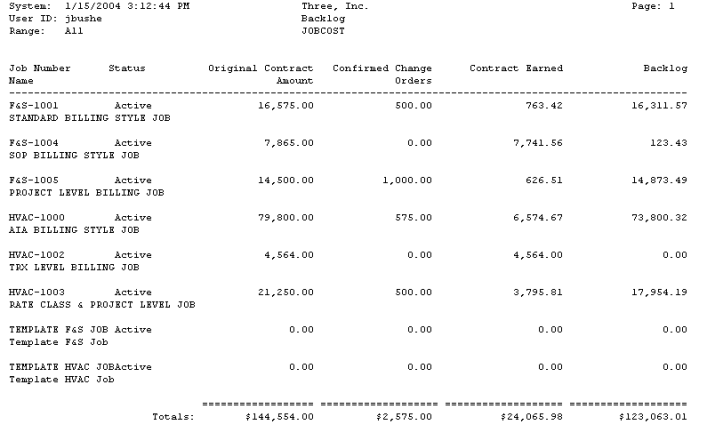
The Backlog report shows original contract amount, contract earned, and backlog amount for all jobs in the selected range. A backlog amount is determined by subtracting the contract earned amount from the job's contract-to-date amount.
-
Select Reports > Job Cost > Job Reports > Backlog.
-
Use the lookup buttons in the From and To fields to select the print range. Select Insert >>.
-
Select Print.