Connect 2018
All Help Documentation
Main navigation
Connect 2018
Close navigation
Main
All Help Documentation
Main
Connect 2018 Releases
Release Notes 8.01.59
Release Notes 8.01.50
Release Notes 8.01.47
Connect User Guide
Overview
Control System Compatibility
Connect Setup
Working with Roles
Creating an Agent
Licensing the MiniAgent
Simple Connect MiniAgent Deployment
Assigning a Static IP Address to MiniAgent
Obtaining IP information from BAS Network
Working with Users
Scanning BAS Networks
Scanning a BACnet Network
Scanning a Niagara Network
Scanning a Trane Tracer Summit Network
Configuring a Trane Tracer SC Gateway
Configuring a Johnson Controls Gateway
Configuring a Siemens Insight Gateway
Configuring an Agent for Trending
Working with Profiles
Creating the Profile Name
Scanning a Device for Objects
Creating a Point Conversion
Verifying a Value is Correctly Converted
Setting the Trend Interval
Mapping Device Classes and Features
Point Mapping Troubleshooting
Working with Watchdogs
Setting Up a New Watchdog
Editing a Watchdog
Viewing the Watchdog Dashboard
Viewing Events and Scores
Working with Reports
Standard Reports
Created With Templates
Created Manually
External Objects
Event Chart Objects
Scorecard Reports
Scorecard Report from Watchdog
Inspection Reports
Pass/Fail Reports
Watchdog Reports
Campuses, Sites, and Areas
Dynamic Explorer
Energy Monitors
Remote Tunneling
Example Workflow
Connect Remote Connectivity
Obtaining Your API Key
Training Downloads
Connect SaaS Security and Compliance
Breadcrumbs
Connect 2018
Connect User Guide
On this Page
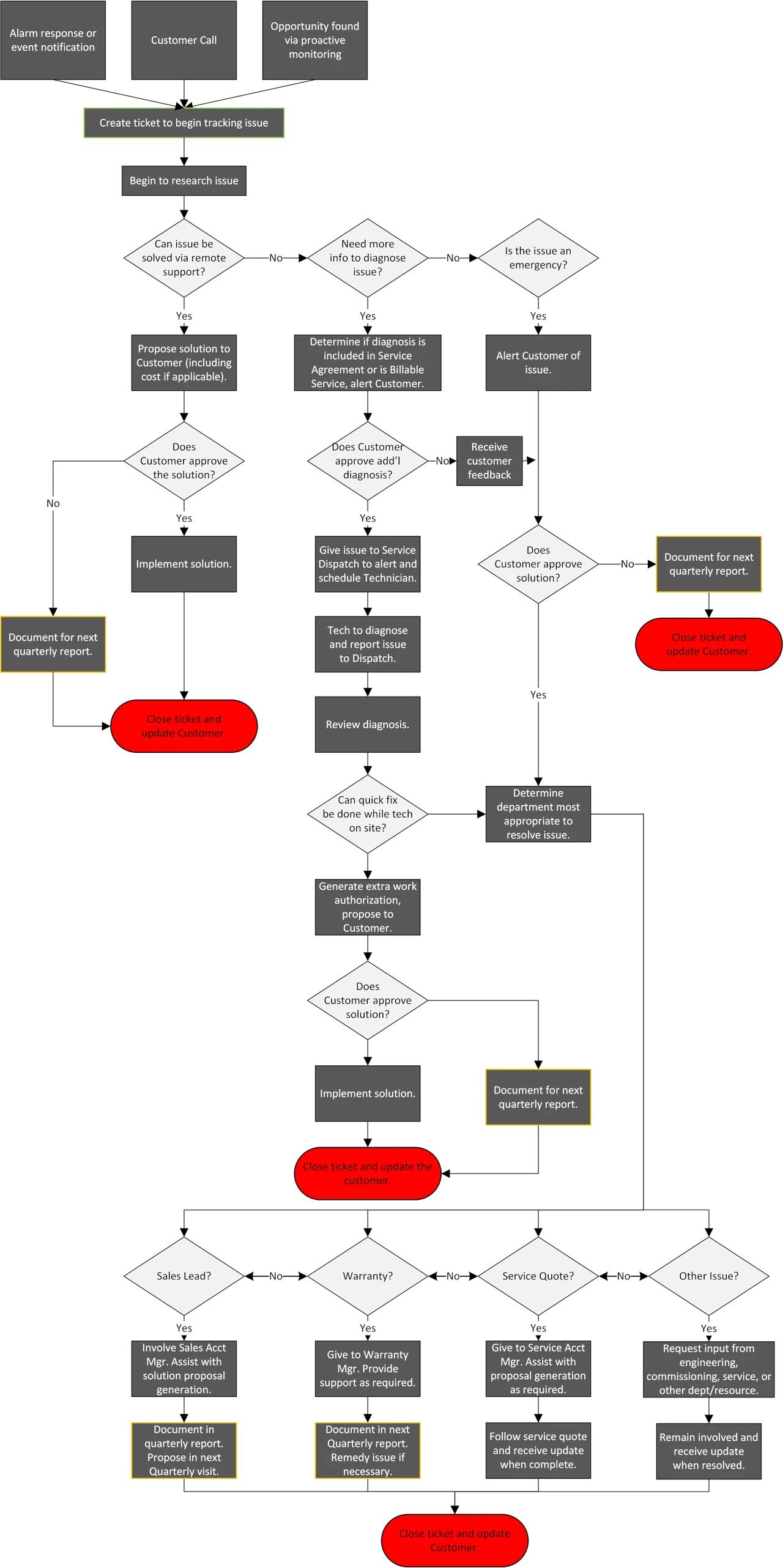
Example Workflow