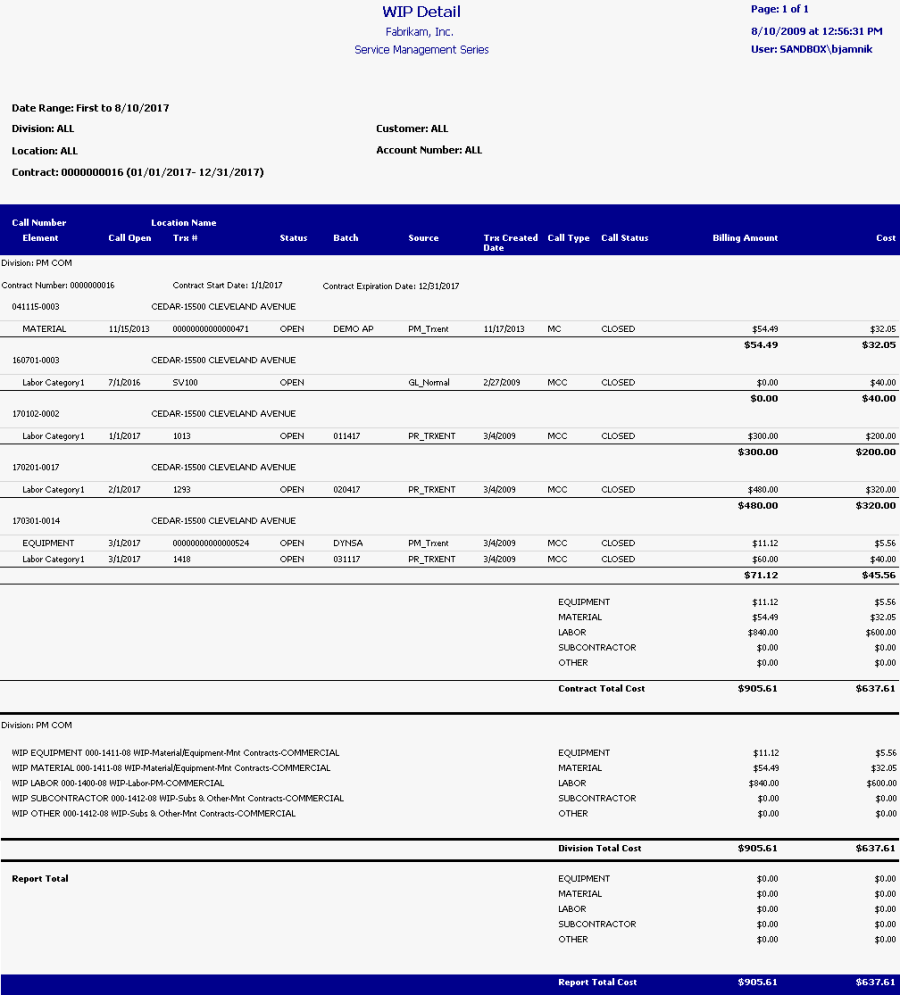
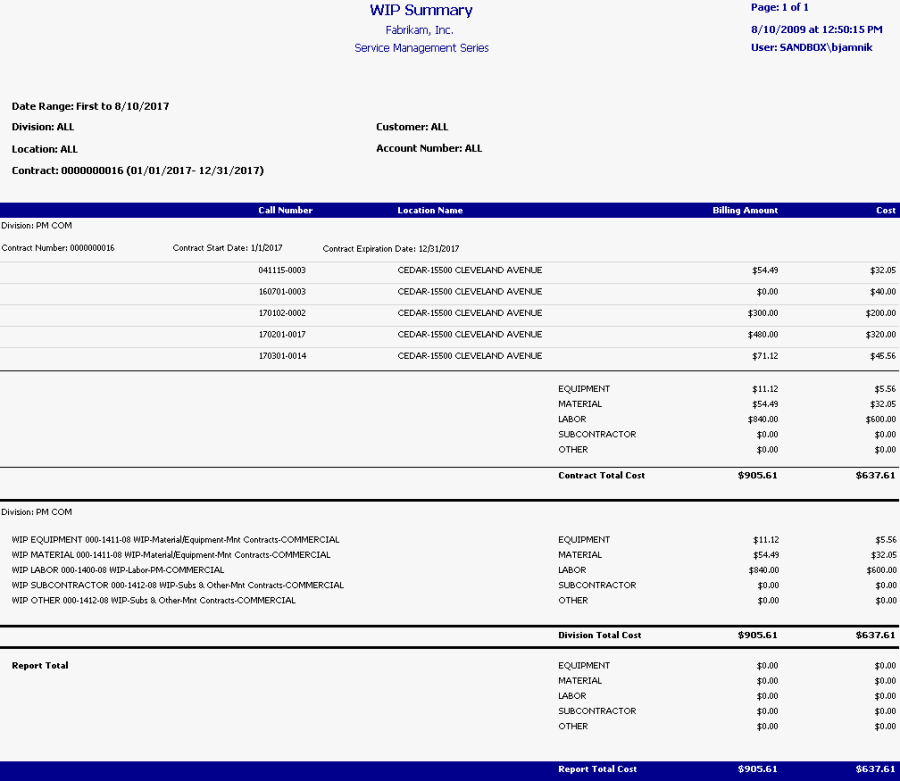
This report prints service WIP account totals, allowing you to view unbilled service work and open maintenance calls. Service call billing amounts and costs are grouped by contract, then totaled by category for each contract. These contract totals are grouped by division, allowing you to review the service division account totals, as well as category totals for the entire report. The Service WIP report can be run as part of the month end closing process, to help ensure that your Service WIP accounts balance with the General Ledger WIP accounts. Refer to the user manual for more information on using WIP reports at month's end.
-
To print, select Reports > Service Management > Service > WIP Reports.
-
On the Service WIP Reports window, mark the WIP Report radio button, and select whether you want to print the report in summary or in detail.
You can filter this report by division, customer, location, account number, and contract.
Summary
Detail