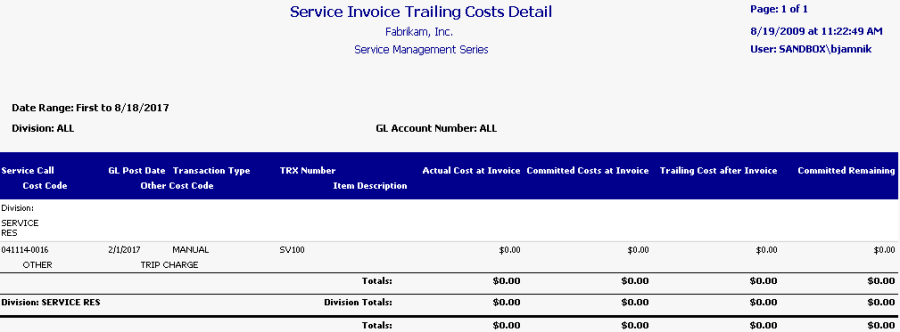
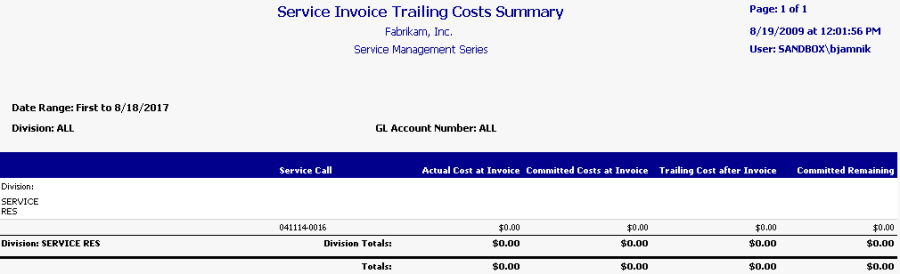
This WIP report prints trailing costs by division and service call. For each service call, you can view actual and committed costs at invoice time, the trailing cost after invoicing, and the committed cost remaining, along with division totals and totals for the whole report. The detailed invoice shows additional service call and transaction details. The Service Invoice Trailing Costs report can be run as part of the month end closing process, to help identify the committed costs that remain unposted after a service invoice is posted for a closed service call. Refer to the user manual for more information on using WIP reports at month's end.
-
To print, select Reports > Service Management > Service > WIP Reports.
-
On the Service WIP Reports window, mark the Trailing Cost and PPV radio button to print this report (along with the Service Invoice Trailing PPV Costs report), then select whether you want to print the summary or detailed version of this report.
You can filter this report by division and account number.
Summary
Detail