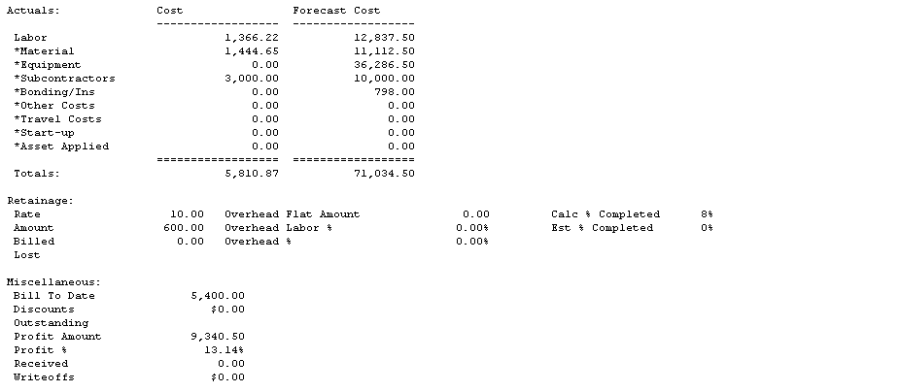
The Job Reference report contains information you enter in the Job Maintenance window, including estimate cost and estimated cost-plus-profit amounts by cost element for the selected job. You can print a Job Reference report for each job you set up. In addition, you can view actual and forecasted cost amounts by cost element.
-
Choose Reports > Job Cost > Job Reports > Reference.
-
Use the lookup buttons in the From and To fields to select the print range. Choose Insert >>.
-
Choose Print.