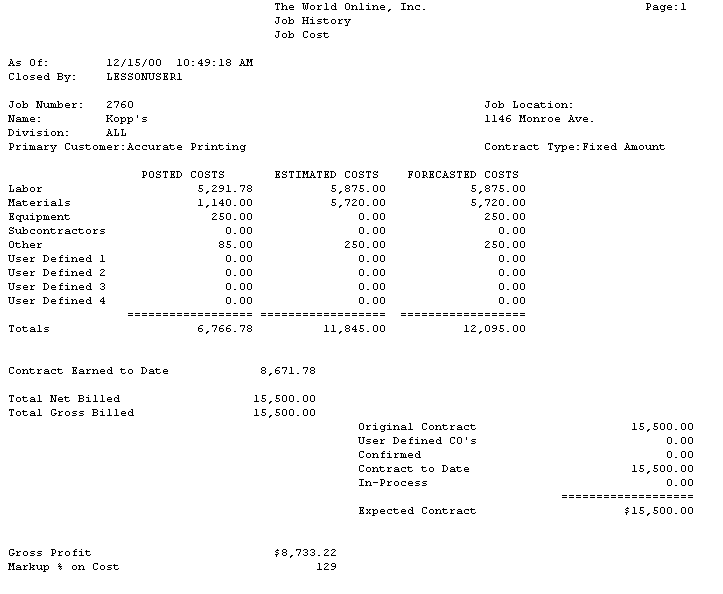
Job History Report
The Job History report lists committed, posted, estimated, and forecasted costs for each cost element, as well as estimated gross profit, change order, and other job information for closed jobs.
-
Choose Reports > Job Cost > History Reports > Job History.
-
Choose to print the report for all jobs, a single job, or a range of jobs. If you choose the Job Number or Range radio button, enter the number or range.
-
Choose Print.
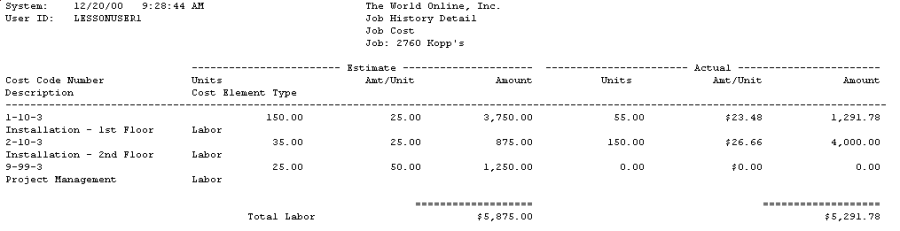
Job History Detail Report
The Job History Detail report includes estimate and actual cost code amounts for a closed job.
-
Choose Reports > Job Cost > History Reports > Job Detail History.
-
Select a Job Number.
-
Choose Print. The sorting options are disabled for this report.
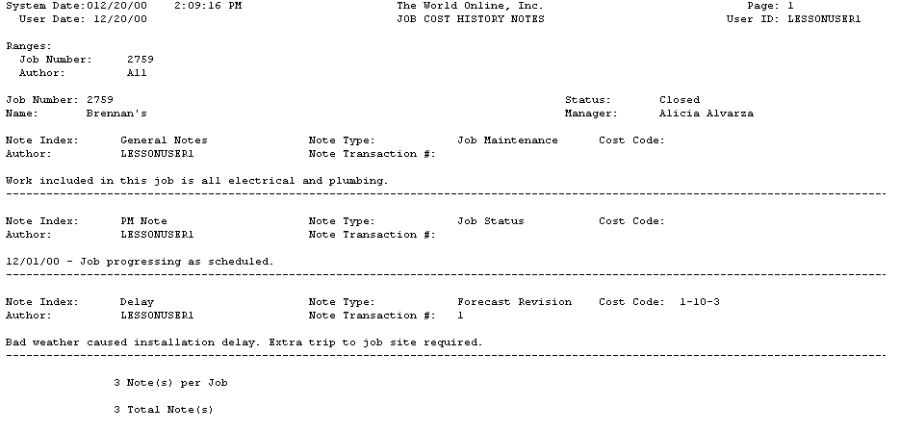
Job History Notes Report
The Job History Notes report lists notes from closed jobs.
-
Choose Job Cost > Reports > History Reports > History Notes.
-
Choose to print the report for all jobs, a single job, or a range of jobs. If you choose the Job Number or Range radio button, enter the number or range.
-
Choose Print.