
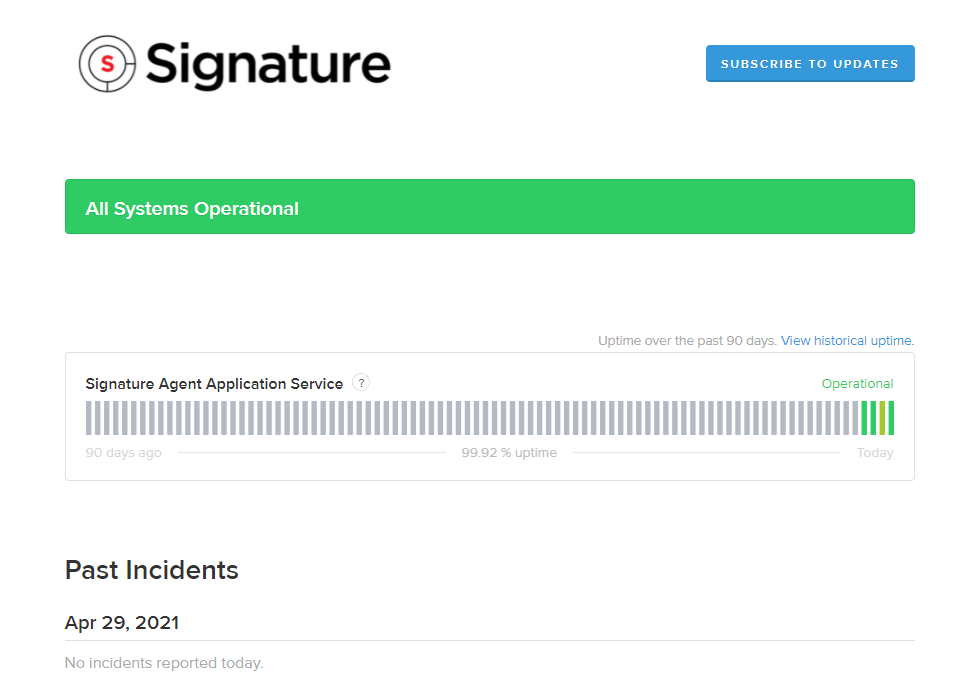
The Signature Status page includes the following Signature Agent Application Service status information.
-
A graph displays the uptime status for the past 90 days. The uptime percentage is displayed beneath the graph.
-
A calendar view of the uptime by selecting View historical uptime.
-
Previous incidents are listed by date below the status graph section.
Access the Signature Status Page
-
In Signature Agent, select About.
-
Select Signature Status to open a browser to https://signature.statuspage.io/.
-
Select the Subscribe to Updates button to receive notifications whenever the Status Page has new, updated, or resolved incidents. After you subscribed, you'll receive a notification that asks you to confirm your subscription. You can receive updates in one or more of the following methods: email, text message, webhook, and/or RSS feed. You can also access the WennSoft Customer Support Center.