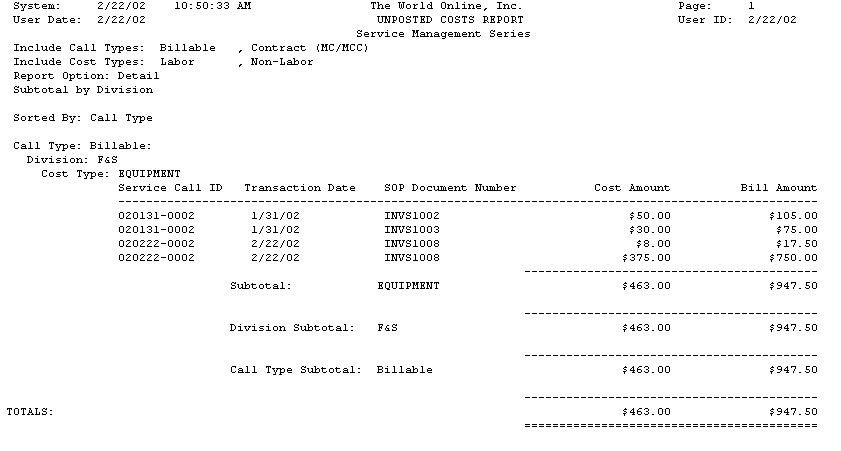
The Unposted Costs report lists all unposted costs. You can choose to print a summary or detail report and can choose what cost types and call types to display. The Unposted Costs report prints if you are using SOP invoicing.
-
Choose Reports > Service Management > Service > Service with Costs.
-
Choose a report type by choosing the Summary or Detail radio button. If you choose Summary, only the cost totals will print. If you choose Detail, each line item on a SOP document will print.
-
In the Include Cost Types field, mark the cost types to display.
-
In the Include Call Types field, mark the call types to display.
-
Mark the Subtotal By Division checkbox if you want division subtotals to display on the report.
-
Choose Print.