
This template allows you to create a report for viewing the top X values of your choosing. There is a Show Details drill down that shows all the records for the report.
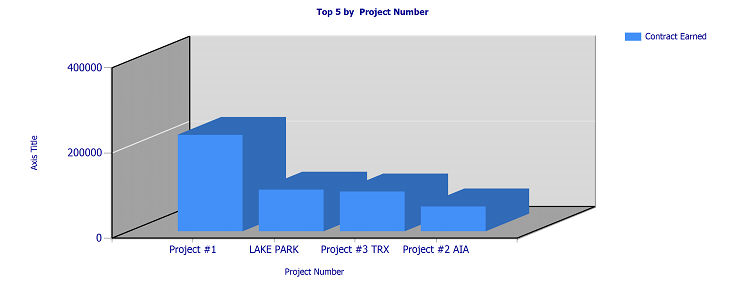
When you create a report based on this template, you can edit the following parameters in Report Manager:
-
You can define the number of values (Top X) to display.
-
You can use any text type field from your data source to group the values on the report (Group By).
-
You can use any number type field from your data source to measure the values on the report (Chart Value 1).
Example: You may decide to use this template to create a Project Chart. Values are grouped by Project Number, Project Name, Customer Number, Customer Name, or Manager. Values are measured by Contract Earned, Total Actual Cost, or Billed Amount TTD.