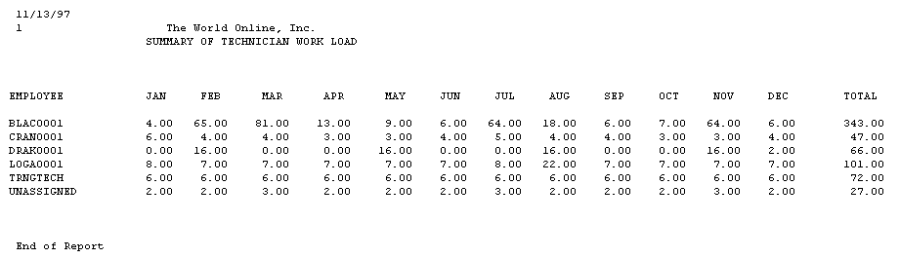
This report is a summary of technicians' monthly MCC workload.
-
Select Reports > Service Management > Maintenance > Technician Load Summary.
-
Select the All or Individual Technician radio button. If you select Individual Technician, select a technician.
-
The first time during a session you select Print, you will receive a message asking if you want to run the utility that matches technicians by skill level to maintenance tasks. Select Yes.