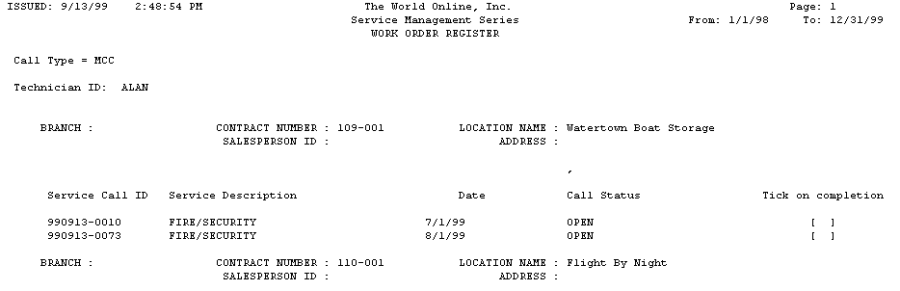
The Workorder Register report lists technicians' open MCC service calls. There are fields on the form for technicians to check when the calls are completed and for the technician's signature.
-
Choose Reports > Service Management > Maintenance > Workorder Register.
-
Enter a Start Date and an End Date.
-
The Technician ID field defaults as All. If you want to choose an individual technician, use the lookup window in the Technician ID field to select a technician.
-
Choose the All or Individual Contract radio button. If you choose Individual Contract, use the lookups in the Customer ID, Address ID, and Contract Number fields to make your selections.
-
Choose Print.